District Cooling System Computerized Maintenance Management System

DCS CMMS

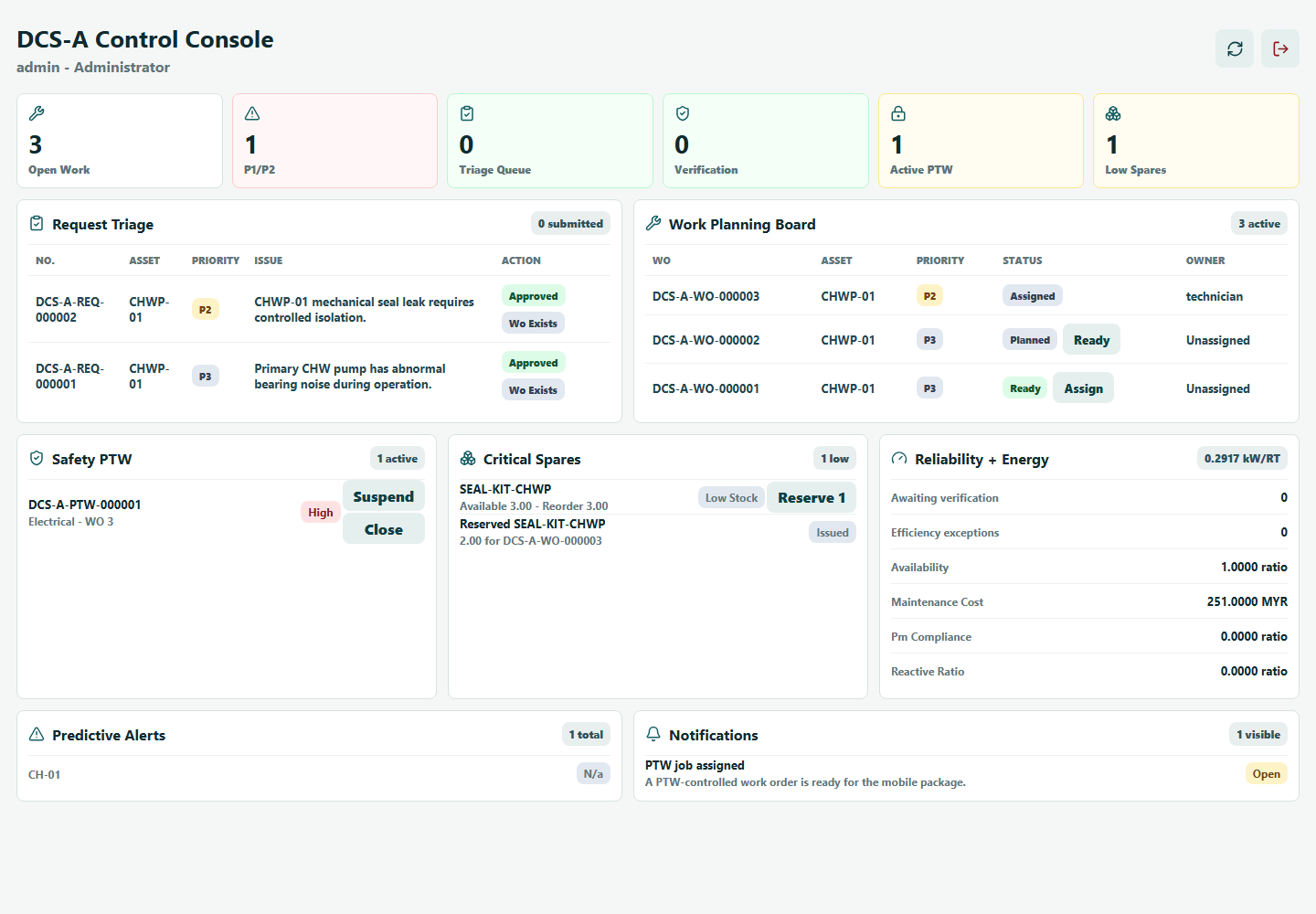
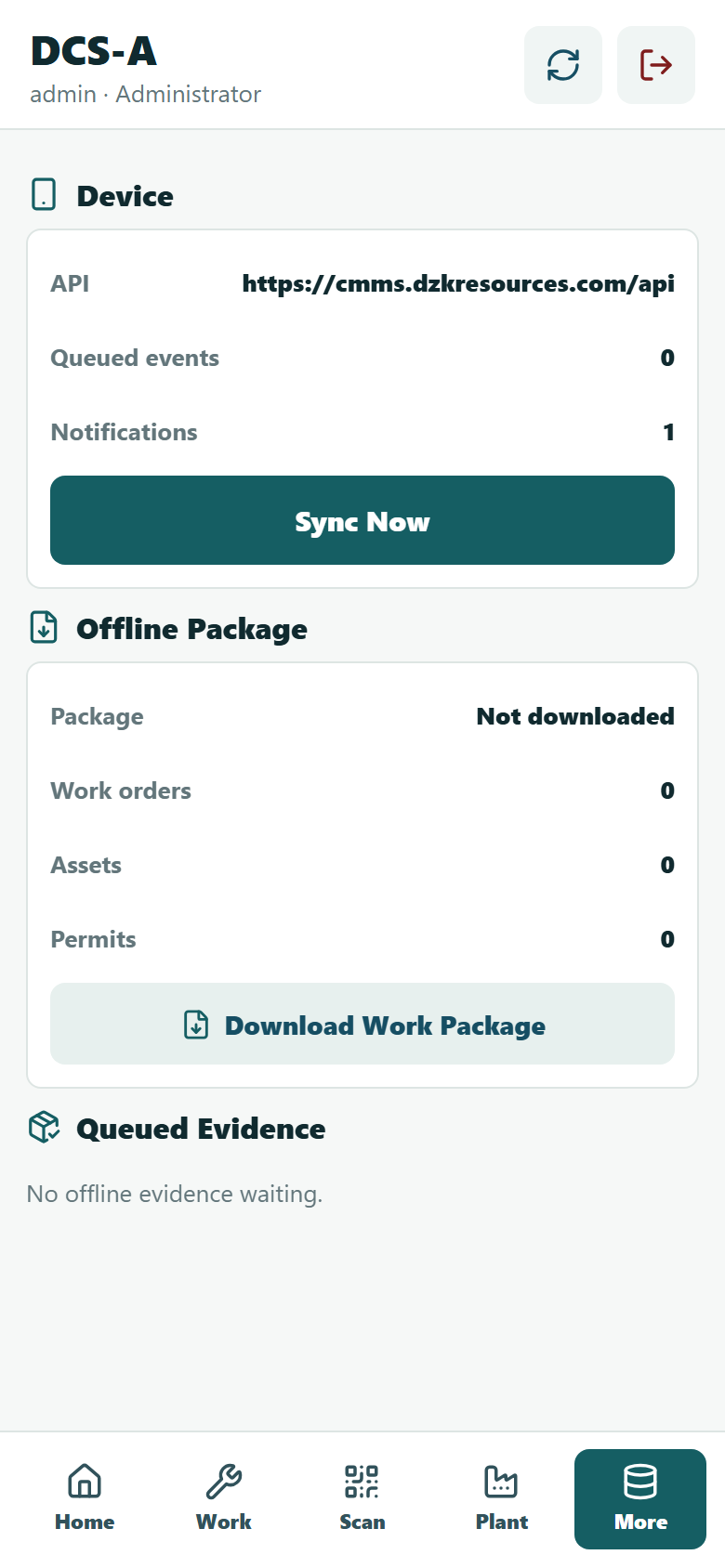
A mobile-first maintenance control platform for district cooling plants. It connects asset identity, field requests, work execution, preventive maintenance, spare parts, safety approvals, KPI monitoring and integration-ready operational records.

5
Core functional areas
R1-R8
Delivered MVP scope
Live
Web, mobile and API
Supervisor console workflow actions Mobile operator request capture

First Page

Five core functionalities of DCS CMMS.

Select a function to see how the work is executed, governed and monitored, with the matching walkthrough video where available.

Operational Governance

How each function is executed, controlled and monitored.

01

Asset Control

Assets are structured by plant, location, system and equipment class. Each asset carries a server-generated QR identity, warranty data, required documents and measurement points before it can be activated for use.

Execution Flow

  1. Create or import the asset record.
  2. Attach warranty, OEM and document evidence.
  3. Verify the physical equipment using the QR payload.
  4. Activate only after supervisor checks are complete.

Control & Monitoring

  • Plant-scoped permissions protect records.
  • Activation is gated by required data.
  • Audit events track verification and status changes.
Watch Asset Management Walkthrough

02

Work Execution

Operators raise requests from the field, supervisors triage and plan work orders, and technicians execute assigned tasks through controlled mobile steps before supervisor verification and closure.

Execution Flow

  1. Scan asset or select equipment manually.
  2. Submit request with symptom, priority and safety flag.
  3. Convert approved request into a work order.
  4. Assign, execute, record readings and submit completion.

Control & Monitoring

  • Status transitions prevent skipped stages.
  • Checklists, labour, evidence and readings support closeout.
  • Supervisor review catches returned or incomplete work.
Watch Work Order Walkthrough

03

Maintenance Planning

PM templates define the recurring maintenance method, schedules generate due work, and inspection routes capture checkpoint answers and threshold breaches for follow-up.

Execution Flow

  1. Define PM template, frequency, task list and competency.
  2. Schedule work by plant asset and due date.
  3. Generate or inspect the planned work order.
  4. Complete route checkpoints and roll the next due date forward.

Control & Monitoring

  • PM compliance can be reviewed from generated work orders.
  • Checkpoint exceptions create traceable audit signals.
  • Overdue and upcoming work stay visible to supervisors.
Watch PM Walkthrough

04

Materials Control

Stores users manage spare part masters, stock locations and balances. Work orders can reserve, issue and return parts so maintenance cost and availability stay visible.

Execution Flow

  1. Create parts, warehouses, bins and opening balances.
  2. Reserve stock against approved work orders.
  3. Issue parts to technicians and return unused quantity.
  4. Run cycle counts and approve adjustments.

Control & Monitoring

  • Available stock accounts for reservations.
  • Low-stock conditions support reorder review.
  • Transactions preserve traceability by work order and user.
Watch Inventory Walkthrough

05

Assurance & Monitoring

Safety controls and management dashboards sit above the work process. PTW, JRA, LOTO and signatures govern high-risk execution, while readings, KPIs and reports monitor plant and maintenance performance.

Execution Flow

  1. Prepare JRA, permit requirements and isolation controls.
  2. Approve, accept and activate the permit before work starts.
  3. Import or record readings for performance calculations.
  4. Review dashboards, reports and predictive alerts.

Control & Monitoring

  • Work start is blocked until permit rules are satisfied.
  • Electronic signatures create accountability.
  • KPI snapshots track downtime, cost, efficiency and reliability.

Walkthrough Library

Short videos for the live demo workflow.

Production Handover

Current implementation scope.

R1 Foundation Users, plant roles, asset hierarchy, QR identity, warranty, verification and audit events.
R2 Work Requests, work orders, lifecycle controls, checklist, readings, labour and closeout.
R3 PM & Inspection Templates, schedules, generated work orders, route rounds and checkpoint answers.
R4 Safety PTW, JRA, LOTO, isolation, gas tests, signatures and work-start blocking.
R5 Inventory Parts, warehouses, bins, balances, reservations, issues, returns and cycle counts.
R6 Mobile Device registration, offline packages, sync events, conflicts, notifications and signatures.
R7 Intelligence Condition readings, kW/RT, COP, reliability KPIs and dashboard snapshots.
R8 Integration BMS/SCADA import scaffold, ERP event queue, SSO registry and predictive alert rules.